Built around the details of specialty care

Specialty clinics often manage detailed notes, referral-heavy workflows, custom forms, different visit types, and coordinated follow-ups.
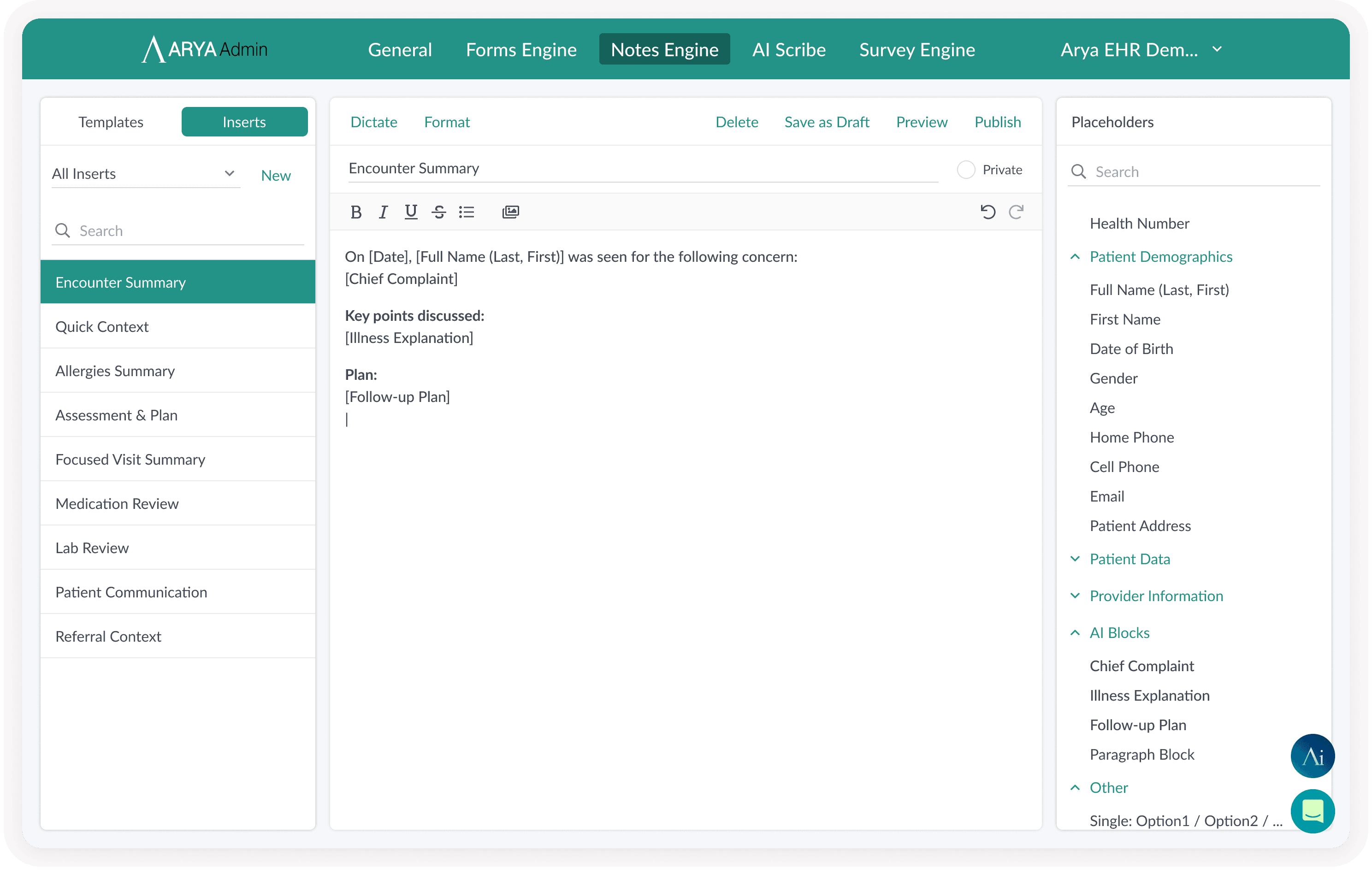
Image Preview

Detailed documentation

Capture consults, assessments, procedures, and follow-ups with flexible note tools.

Image Preview

Referral-heavy operations

Organize incoming referrals, reports, consult letters, eFax items, and documents.

Image Preview

Different visit types

Support consults, procedures, assessments, recurring care, and follow-up appointments.
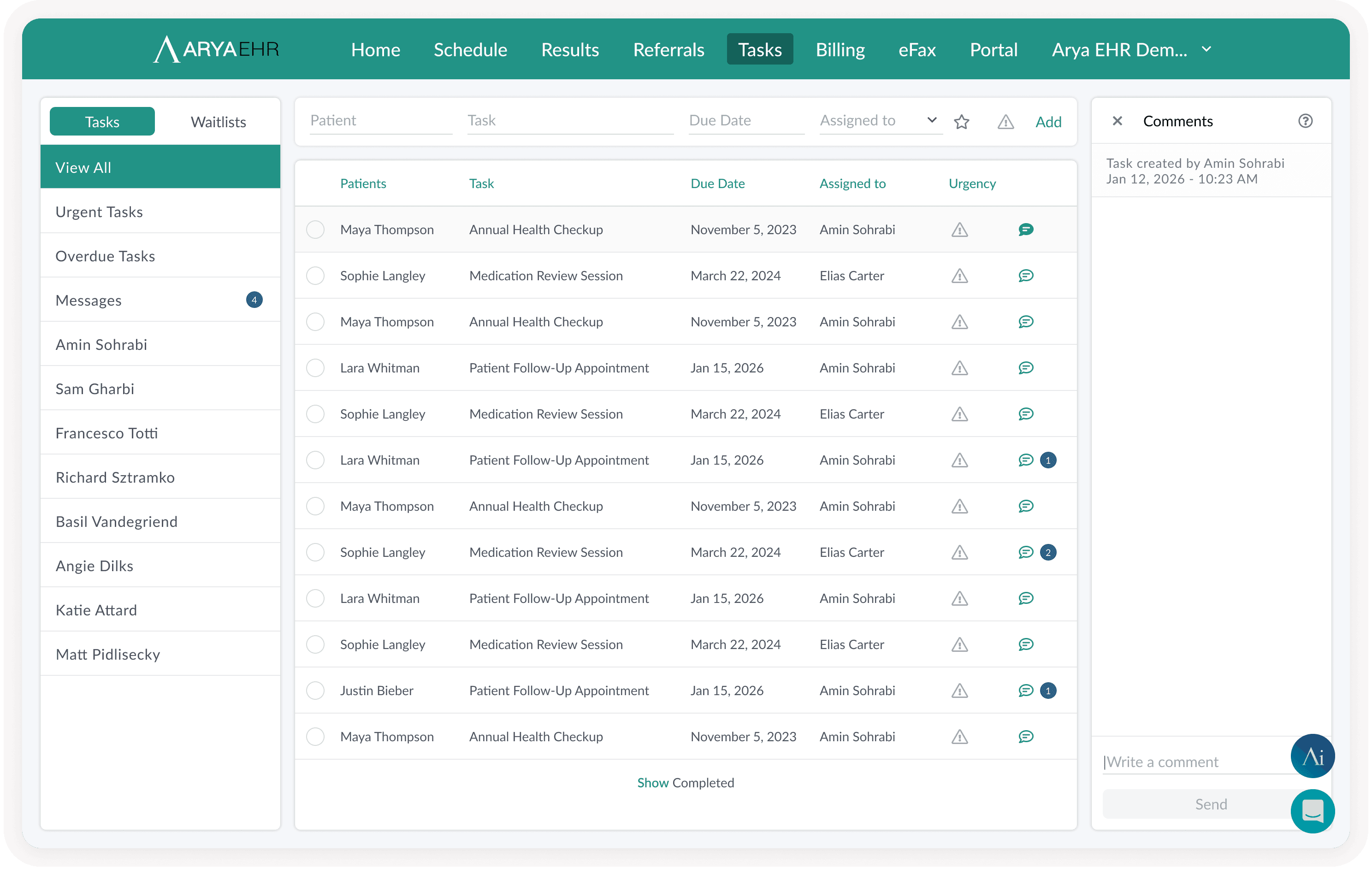
Image Preview

Team coordination

Keep providers, MOAs, and clinical staff aligned through tasks, documents, and communication.

Tools that adapt to your specialty

Arya gives specialty clinics flexible building blocks for documentation, communication, document handling, and clinical operations.

Specialty templates

Create reusable note structures for consults, assessments, notes, follow-ups, and specialty-specific documentation.

AI Scribe and AI Dictation

Capture detailed patient encounters faster and reduce the time spent writing long clinical notes.

Forms and questionnaires

Collect patient information before or during visits using digital forms and structured intake workflows.

Referrals and eConsult support

Support referral-based care with organized documents, consult workflows, and eConsult-related communication.

Document management

Keep reports, imaging documents, consult letters, forms, and attachments connected to the right patient chart.

eFax and AI eFax triage

Receive, classify, and process incoming documents faster with eFax workflows and AI-supported triage.

Labs and results

Review results and connect them to the patient record for ongoing specialty care.

Patient portal and secure messaging

Send forms, updates, instructions, and follow-up communication through secure patient workflows.

Task management

Assign follow-ups, admin work, document review, and internal clinic tasks to the right team members.

Billing support

Support provincial billing workflows, including specialty billing needs where applicable.

Specialty templates

Create reusable note structures for consults, assessments, notes, follow-ups, and specialty-specific documentation.

Forms and questionnaires

Collect patient information before or during visits using digital forms and structured intake workflows.

Document management

Keep reports, imaging documents, consult letters, forms, and attachments connected to the right patient chart.

Labs and results

Review results and connect them to the patient record for ongoing specialty care.

Task management

Assign follow-ups, admin work, document review, and internal clinic tasks to the right team members.

AI Scribe and AI Dictation

Capture detailed patient encounters faster and reduce the time spent writing long clinical notes.

Referrals and eConsult support

Support referral-based care with organized documents, consult workflows, and eConsult-related communication.

eFax and AI eFax triage

Receive, classify, and process incoming documents faster with eFax workflows and AI-supported triage.

Patient portal and secure messaging

Send forms, updates, instructions, and follow-up communication through secure patient workflows.

Billing support

Support provincial billing workflows, including specialty billing needs where applicable.

A smoother path from referral to follow-up

A smoother path from referral to follow-up

Arya helps specialty clinics manage the full journey from incoming referral to clinical documentation and ongoing care.

Arya helps specialty clinics manage the full journey from incoming referral to clinical documentation and ongoing care.

Step 1

Receive and organize referrals

Receive and organize referrals

Use document inbox, eFax, OCR, and AI eFax triage to help process incoming referrals and related documents.

Use document inbox, eFax, OCR, and AI eFax triage to help process incoming referrals and related documents.

Step 2

Prepare the patient chart

Prepare the patient chart

Review history, documents, forms, labs, previous communication, and referral details before the visit.

Review history, documents, forms, labs, previous communication, and referral details before the visit.

Step 3

Document the specialty visit

Document the specialty visit

Use specialty templates, inserts, AI Dictation, or AI Scribe to create detailed notes based on the visit type.

Use specialty templates, inserts, AI Dictation, or AI Scribe to create detailed notes based on the visit type.

Step 4

Coordinate next steps

Coordinate next steps

Assign tasks, request follow-ups, send patient instructions, prepare consult letters, or manage additional forms.

Assign tasks, request follow-ups, send patient instructions, prepare consult letters, or manage additional forms.

Step 5

Communicate and track progress

Communicate and track progress

Use secure messaging, portal tools, documents, and internal tasks to keep the patient and care team aligned.

Use secure messaging, portal tools, documents, and internal tasks to keep the patient and care team aligned.

Built around specialty teams

Arya supports the different people involved in specialty care, from providers to admin teams.

Specialists

Document complex visits faster, manage detailed patient context, review results, and support specialty-specific workflows.

MOAs and Coordinators

Handle referrals, scheduling, forms, documents, eFax, follow-ups, and patient communication more efficiently.

Clinic Owners and Managers

Create more consistent workflows, reduce manual admin work, and support growth without adding unnecessary complexity.

Ready to switch?

Make your specialty workflows easier to manage

See how Arya can support your specialty clinic with flexible documentation, smarter document handling, and connected team workflows.